

Scuba Forge is reader-supported: some links on this page are affiliate links, and as an Amazon Associate Scuba Forge earns from qualifying purchases at no extra cost to you. Learn more.
Case diameter for a scuba diving computer measures the width across the outer housing in mm. You must choose a diameter that fits your specific glove size and provides enough surface area for your required interface while remaining compact enough for your preferred mounting style.
Which Scuba Diving Computer Case Diameter Suits You?
| If this is you | The Case Diameter that suits you | Why |
|---|---|---|
| You wear thin neoprene gloves or prefer a minimalist profile on your wrist. | 46 mm to 48 mm | Smaller diameters reduce the footprint on the wrist and allow for a more streamlined profile. |
| You use standard-thickness gloves and want a balance of screen real estate and weight. | 48 mm to 50 mm | This range represents the median size for many underwater computers, providing a standard balance. |
| You require large, high-contrast buttons or a large display for high-stress environments. | 50 mm to 55 mm | Larger diameters provide more surface area for physical controls and larger pixel counts. |
| You mount the device on a console or a large wrist strap and prioritize screen size. | 55 mm+ | Maximum dimensions allow for the largest possible display surface area available in the category. |
Products in this category with a full review here
Prices across these 3 run from $399 to $1199.95; each one has a full review here.
For a specialized freediving option, look at our full SEAC Partner review for a detailed breakdown.
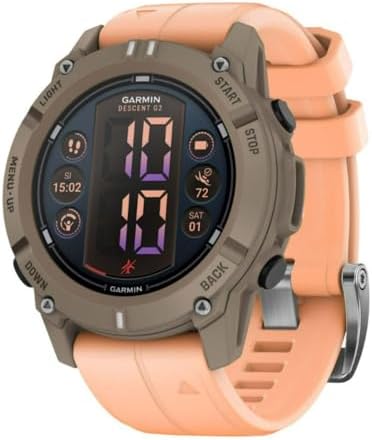


How do you measure your required scuba diving computer case diameter?
To determine the correct scuba diving computer case diameter, you must measure the width of the housing you intend to wear or mount. Use a digital caliper or a standard ruler to measure the widest point of a previous device or a similar-sized watch to establish a baseline. Most manufacturers list the case diameter in the technical specifications as a single figure in millimeters (mm).
Verifying the outer housing diameter in product specifications before ordering
Check the product specifications for the “Case Diameter” or “Housing Width” value before ordering. If you are replacing a current device, measure the width of the housing of the unit you currently own. Ensure the new measurement fits within the constraints of your existing mounting hardware or glove clearance. Because manufacturers may list different dimensions for thickness versus width, verify that the figure specifically refers to the diameter of the outer housing.
You can find a detailed analysis of the Pro Plus 4.0 spec breakdown on our dedicated page.
What happens if you choose the wrong scuba diving computer case diameter?
Choosing a case diameter that is too large results in a device that may not fit under a standard diving glove or may interfere with the movement of your wrist. If the housing is too wide, you may find that the buttons are difficult to press accurately or that the device sits awkwardly against the skin. This mistake often leads to a return of the product or the need to purchase different, less-standard gloves to accommodate the extra width.
For a high-end Garmin option, look at our full Descent Mk2S review to see the technical specs.
How small dive computer screens limit data visibility during underwater tasks
Selecting a case diameter that is too small can limit the amount of information visible on the display at a glance. A smaller housing often dictates a smaller screen, which may make reading depth or time limits difficult in low-light conditions or during high-activity periods. If the screen is too small for your needs, you may find yourself struggling to interpret data quickly during a dive. You lose the ability to monitor your primary metrics with a simple glance, which can increase the cognitive load during your underwater task.
What should you do if your requirements fall between two case diameter sizes?
If your requirements fall between two case diameter sizes, you should prioritize the diameter that offers the best balance between your glove clearance and your required screen real estate. When a measurement sits on the borderline, such as a choice between 48 mm and 50 mm, consider the physical size of the buttons you need to operate. If you frequently use thick gloves, the slightly larger diameter often provides a more reliable tactile experience for your fingers.
If you prefer titanium, see how the Descent Mk2i performs in our latest review.
Choosing between large and small dive computer diameters based on dive type
When two requirements conflict, such as needing a large screen but a small profile, evaluate the specific use case for each dive. For technical work where high-density data is required, the larger diameter is often the necessary choice despite the increased footprint. For recreational dives where simplicity is the priority, the smaller diameter provides a more comfortable experience. If you are unsure, opting for the larger of the two borderline sizes usually ensures that the device remains functional across a wider range of glove types and mounting setups.
Where to go next in our scuba diving computer coverage
- The Watch Style Dive Computers That Work Best for Small Wrists
- Which Scuba Diving Computer with GPS Is Best?
- Best Dive Computers for Nitrox
- Tracking Depth and Bottom Time While Snorkeling With a Scuba Diving Computer
- Which Scuba Diving Computer Keeps You Safe During Deep Technical Dives Under 260m?
- The Scuba Diving Computers That See My Dive Data on My Phone